For Personal Use
Your iPhone's unsubscribe button
isn't actually working.
Here's what's really happening — and what actually fixes it.
Why the default solution fails
It just moves them to spam
When you tap "Unsubscribe" in iPhone Mail, the email gets flagged as spam — but the sender still has your address. You're still on their mailing list. They can email you again tomorrow.
Apple-only — Android gets nothing
The built-in unsubscribe button only exists on iOS Mail. If you switch phones, use Gmail on the web, or work on Windows — it's completely gone. Your inbox, your problem.
One email at a time, forever
You have to manually tap unsubscribe on every single newsletter. Next week, a new one arrives. You do it again. There's no memory, no automation — just you, doing it manually, indefinitely.
Your email is still in their database
Unsubscribing from the Apple prompt doesn't delete you from the sender's list. Your address gets sold, leaked in data breaches, or reactivated the moment they launch a new campaign.
The fix
UnSub Hero actually works.
No login. No app. No granting access to your inbox. Just forward the email — we handle the rest, permanently.
No login required
Not even an account. Just forward and walk away.Works on every device
iPhone, Android, Windows, Mac — any email client.Permanent removal
We automate the actual unsubscribe flow on their website.No OAuth permissions
We never ask for access to your inbox.just hit forward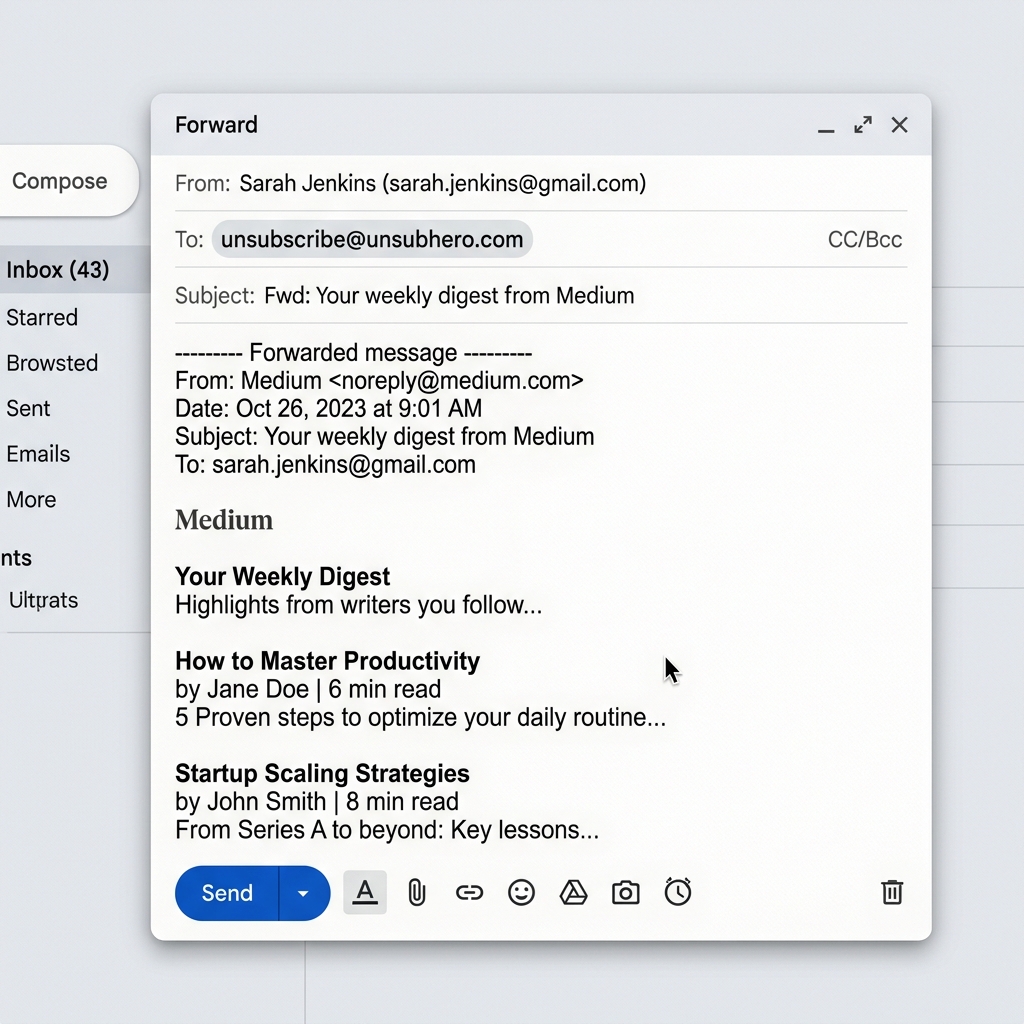
Ready to clean up your inbox?
Copy the address below and forward any unwanted email to it.
That's the entire setup.